
(🇪🇸 Leer la versión en español aquí)
Big Tech’s compulsion to weld a generative AI sparkle onto every corner of mobile software has officially hit your music player. Google is rolling out a dedicated top-right Gemini shortcut across nearly every view inside YouTube Music on Android and iOS — including the Home feed, Library, Now Playing screen, albums, and playlists — as spotted by 9to5Google, Android Authority, and RouteNote.
Tapping that persistent button kicks open Ask Music as a full-screen chat prompt (supporting voice or text) to build vibe-based mixes, tweak playback queues, look up artist trivia, or interrogate your listening habits — gated strictly behind YouTube Premium or YouTube Music Premium.
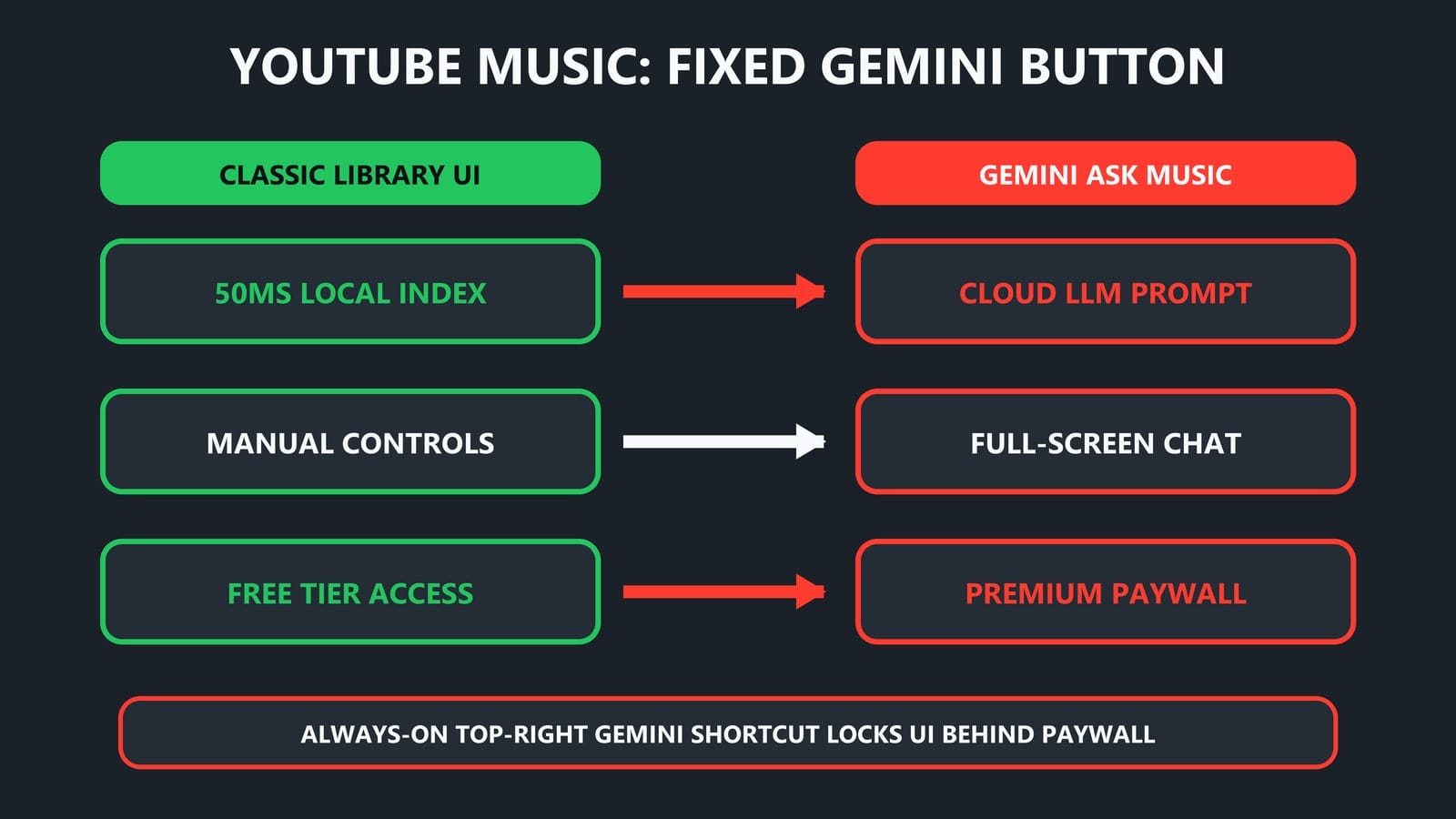
Turning a 50 ms Local Lookup Into a Multi-Second Cloud Prompt
Moving an optional discovery card out of the Home feed and hard-pinning it onto Library and Now Playing Chrome screams quarterly AI engagement KPIs far louder than user demand:
| Streaming Action | Classic Indexed Search & Filters | Persistent Ask Music (Gemini Cloud) |
|---|---|---|
| Time to start playback | ~30–80 ms local index / lightweight lookup | 1,000–3,000+ ms cloud LLM round-trip + queue build |
| Mobile UI footprint | Dedicated Search tab | Always-on top-right sparkle on Library, Albums & Player |
| Compute cost per query | Negligible inverted-index lookup | Full natural-language LLM inference per request |
| Availability | All tiers | Paywalled behind YouTube / Music Premium |
This follows the exact pattern we tracked across Google’s mobile consumer surfaces — from parental zero-minute limits on YouTube Shorts to shifting SMS filtering into cloud enclaves inside Google Messages. Turning deterministic playback controls into full-screen cloud LLM chats burns round-trip latency and screen real estate right where quick deterministic taps work better.
Where Ask Music Actually Helps vs. Pure Chrome Bloat
To give fair credit: semantic discovery works well when you can't recall an exact genre name ("instrumental synthwave at 110 BPM for late-night debugging") or want hands-free queue filtering while driving. The friction comes from forcing a non-dismissible full-screen AI entry point onto Library and Now Playing tabs instead of letting users opt in cleanly.
Speaking of deterministic speed over bloated cloud wrappers: whenever you need to deduplicate playlists, logs, or exported CSV columns in milliseconds without uploading data to an AI server, use our new offline list deduplicator, set diff & RegExp extractor, or audit what all those recurring media subscriptions cost yearly in our subscription audit calculator.
Three Practical Takeaways for Everyday Listeners & Product Builders
- Use downloaded offline playlists on flaky transit networks: local indexed tracks play instantly on subways and rural highways without waiting on cloud LLM round-trips.
- Don't confuse UI real estate with product improvement: pinning a sparkle button over Library and Player views adds mis-tap friction for anyone who just wants fast queue control.
- Check whether Premium value comes from ad removal or forced chatbots: reliable audio bitrates, background play, and crisp offline caching still matter infinitely more than conversational trivia mid-commute.
When an app needs to weld a permanent AI button across every single screen just to get people to click it, the bottleneck isn't music discovery — it's adoption targets.
Credits: Syncroma Studio. Cover photo: woman listening to music on smartphone (Wikimedia Commons, CC BY 2.0); original editorial infographic by Syncroma Studio.
Sistemas reales, sin humo corporativo Real systems, zero corporate hype
Recibe los análisis a fondo sobre arquitectura, consumo de recursos y computación de bajo nivel directamente en tu bandeja de entrada. Get deep-dive software architecture, resource consumption metrics, and low-level computing essays delivered straight to your inbox.
Suscribirse a Syncroma Subscribe to Syncroma