(🇪🇸 Leer la versión en español aquí)
For years, one of the most searched consumer tech questions on Android and iPhone has been dead simple: "how do I turn off YouTube Shorts without deleting the whole app?" Clicking "Show fewer Shorts" barely lasted a week before endless vertical doomscrolling snapped right back into place. Google has now rolled out an explicit 0-minute Shorts feed limit inside YouTube Family Center / Family Link, letting parents kill the endless Shorts carousel while keeping regular long-form videos, school tutorials, and search intact.
Confirmed in Google's official YouTube Help documentation on Shorts limits alongside rollout coverage from The Tech Outlook, ParentalEdge, and EU digital safety group Klicksafe, it is a genuine policy upgrade over soft "take a break" nudges—provided you understand the exact enforcement boundary.
Exact Steps to Set the YouTube Shorts Limit to 0 Minutes
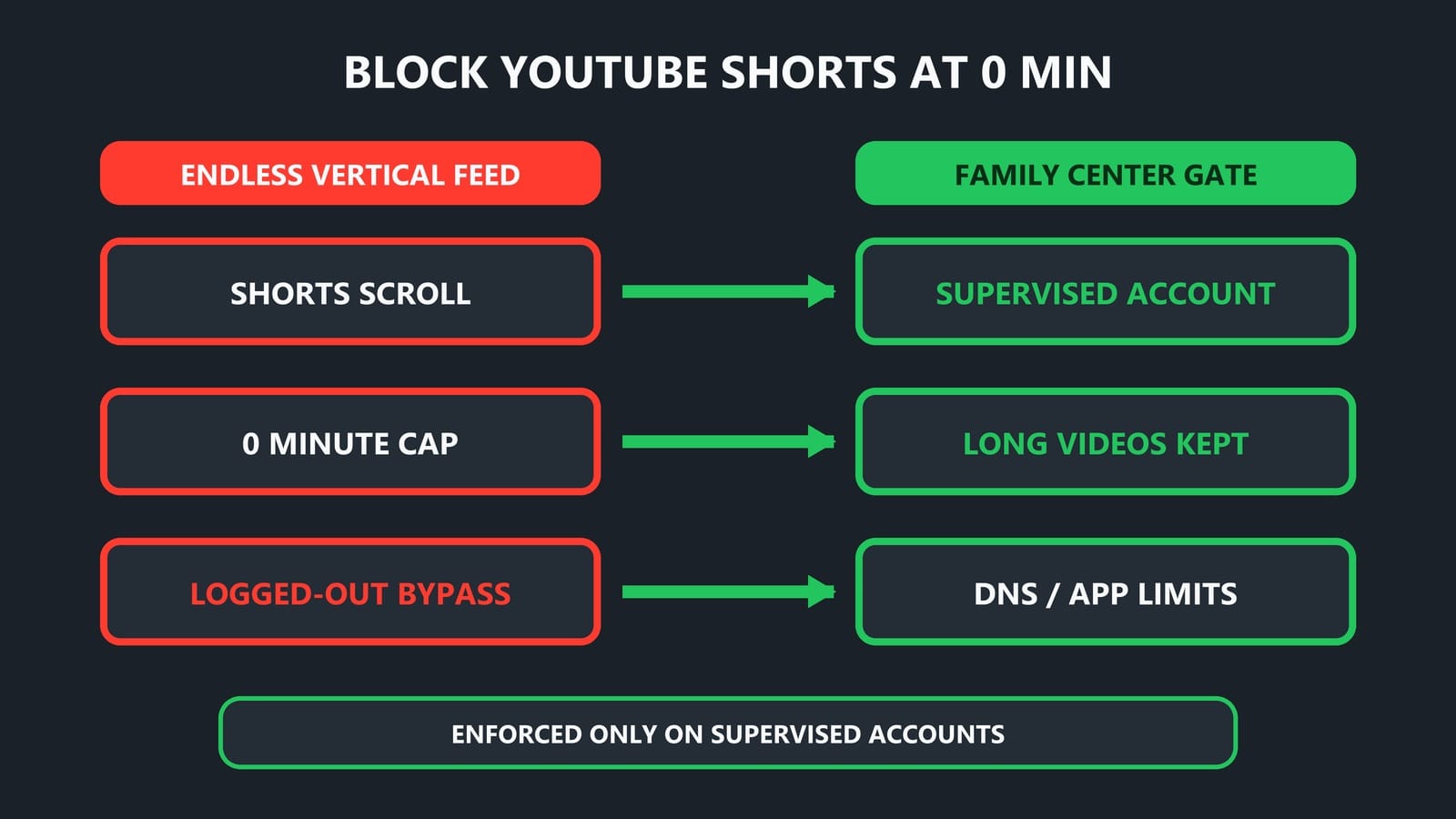
This control only governs supervised accounts managed under Google Family Link (ordinary single adult accounts still cannot hard-lock Shorts to zero):
- Open the YouTube app on the parent's phone while signed into the supervisor Google account.
- Tap your You / profile tab → Settings.
- Open Family Center and select your child's supervised profile.
- Go to Time management → Shorts feed limit, dial the allowance down to 0 minutes, and save. Unlike casual personal timers, kids cannot dismiss this limit inside their signed-in session.
What Actually Gets Blocked—and Where the Guardrail Leaks
Treating the toggle like a real access-control policy rather than a press release reveals the exact scope:
| Device / Usage Scenario | Enforces 0-Min Shorts Cap? | Technical Reason |
|---|---|---|
| Signed-in YouTube app on supervised account | Yes (100%) | Client enforces account-level Shorts feed limit = 0 server flag |
| Long-form videos, music & homework tutorials | Still accessible | Restriction isolates the vertical Shorts feed, leaving standard playback working |
| Mobile browser in Incognito / Logged-out tab | No (bypassable) | Signing out or loading YouTube in an unrestricted browser falls back to anonymous visitor feeds |
| Smart TV guest mode or embedded links | No | Logged-out TV profiles and in-app chat embeds bypass child account tokens |
Plugging the Real Device Gaps
- Lock down unrestricted browsers and guest sign-outs: Pairing YouTube Family Center with Android Family Link → Controls → App limits / Chrome filters prevents a 10-second sign-out bypass inside a mobile browser.
- Use DNS-level controls for shared living-room TVs: For devices where users swap profiles without PINs, account flags fail—combine device app locks or DNS filtering at the router level.
- Keep family account master credentials strong: Make sure supervisor Google accounts cannot be easily guessed or reset on shared tablets—check master passwords locally with our Offline Password Entropy & Audit Tool and inspect any unknown links safely with our Private URL & Phishing Inspector.
(Also crunching real household utility bills alongside device tweaks? Run the numbers on water heating vs appliance efficiency in our new Dishwasher vs Hand Washing Water & Electricity Cost Calculator.)
Bottom Line
Shipping a real 0-minute Shorts cap inside Family Center finally lets parents keep YouTube's useful long-form library without feeding kids an endless algorithmic slot machine. Just remember the engineering boundary: account-level policy enforcement stops at the signed-in boundary—if you leave incognito tabs or guest profiles wide open on the same phone, the lock vanishes in two taps.
Technical analysis infographics by Syncroma Studio. Editorial cover photograph via Wikimedia Commons (William Iven / firmbee, CC0).

Sistemas reales, sin humo corporativo Real systems, zero corporate hype
Recibe los análisis a fondo sobre arquitectura, consumo de recursos y computación de bajo nivel directamente en tu bandeja de entrada. Get deep-dive software architecture, resource consumption metrics, and low-level computing essays delivered straight to your inbox.
Suscribirse a Syncroma Subscribe to Syncroma