(🇪🇸 Leer la versión en español aquí)
Meta has quietly released a security advisory that fractures one of the biggest marketing dogmas in personal computing: the assumption that end-to-end encryption (E2EE) shields your device from network surveillance. Three critical vulnerabilities were urgently patched across Android, iOS, and macOS/Desktop builds of WhatsApp.
The most severe flaw, tracked as CVE-2026-23871, was confirmed to be actively exploited in the wild: scammers and malicious ad networks weaponized Facebook and Instagram "Click to WhatsApp" ads to trick client devices into making background HTTP media requests, silently leaking the user's real public IP address, ISP, and cellular geolocation without the victim ever opening an external browser link.
Simultaneously, Meta patched an arbitrary SQLite injection vulnerability in Android's local chat store (CVE-2026-102769) and a failure in TLS certificate trust validation inside Meta AI’s confidential computing client infrastructure (CVE-2026-44908).
1. Dissecting CVE-2026-23871: Silent IP Leakage via Ad Intents
WhatsApp's Signal-derived encryption protocol operates at the application layer (Layer 7). However, packets travel across standard TCP/IP pipes (Layer 4). Anyone observing Layer 4 metadata can see exactly who is communicating with whom, timestamps, and geographic endpoints.
The flaw existed within WhatsApp's ad-reply preview parsing engine:
- A user scrolls through Facebook or Instagram and encounters a sponsored ad run by a malicious business account.
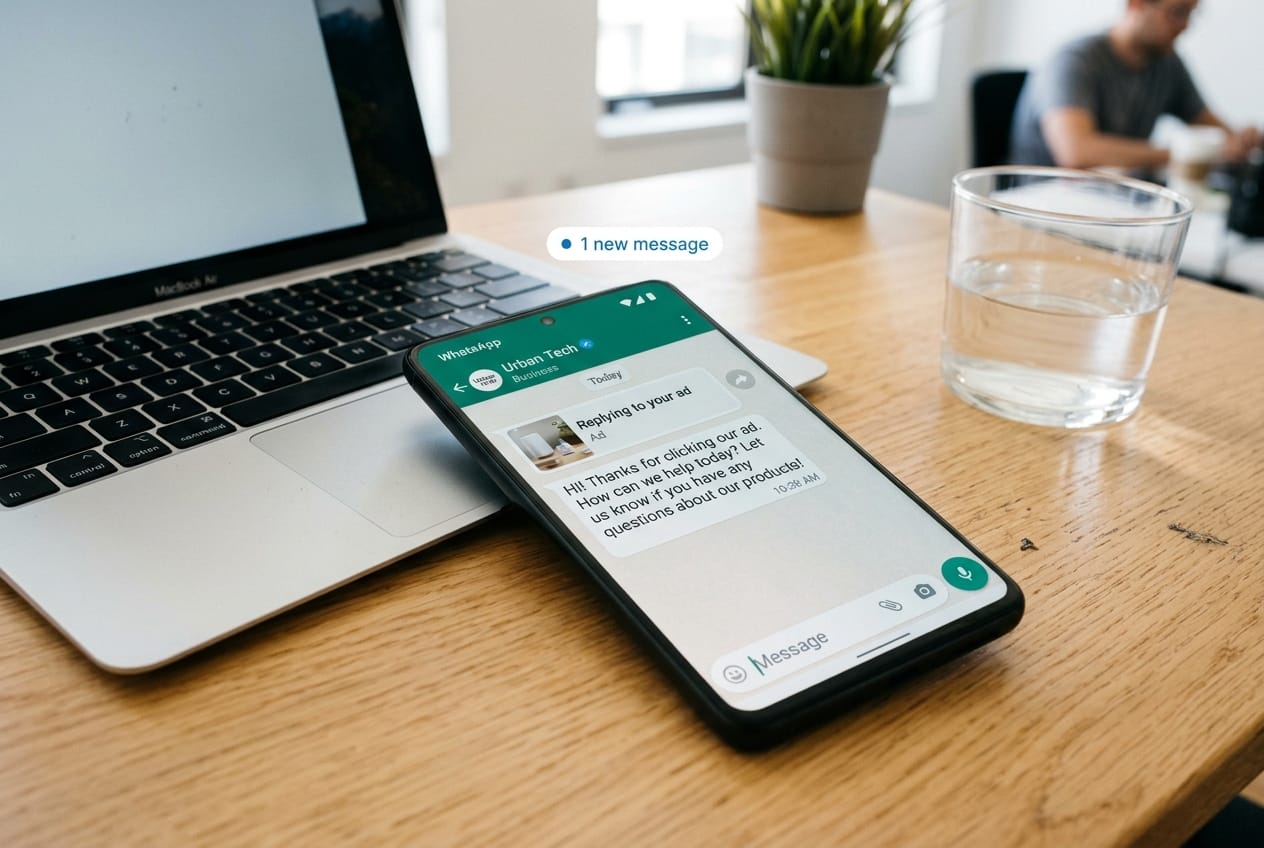
- Tapping the "Send WhatsApp Message" button triggers an operating system intent URI (
whatsapp://send?phone=...&source_url=...). - The Android WhatsApp client parsed the
source_urlparameter to automatically fetch and render the product thumbnail image associated with the campaign. - The Architectural Blunder: The media fetcher failed to enforce strict hostname pinning against Meta’s official Content Delivery Network (
fbcdn.net). Instead, it parsed arbitrary remote web origins (http://c2-tracking.attacker-server.com/beacon.jpg). - Before the user typed or sent a single character, WhatsApp's internal media pipeline executed an automatic HTTP GET request directly from the mobile phone's network interface to the attacker's server.
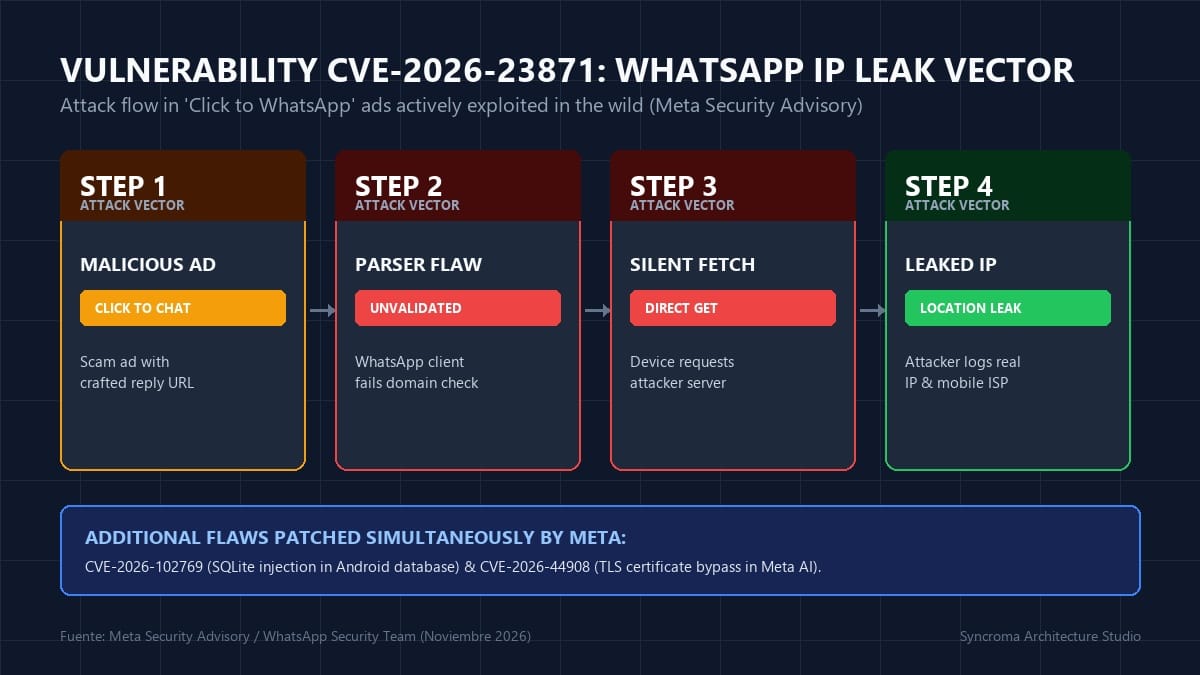
The attacker's access logs instantly recorded:
- The device's real public IP address (bypassing the user's "Disable link previews" privacy setting).
- Cellular carrier ASN and approximate cell tower geolocation.
- Detailed
User-Agentheaders disclosing exact device hardware, baseband, and Android build numbers.
This intelligence enabled social engineering and cybercrime syndicates to profile targets, correlate physical identities with encrypted phone numbers, and stage targeted SIM swapping and credential stuffing attacks.
2. SQLite Injection on Android (CVE-2026-102769): Threatening msgstore.db
The second patched vulnerability compromised WhatsApp's local data storage on Android. The application archives conversation histories, contacts, and transactions within local SQLite databases isolated inside the application sandbox (/data/data/com.whatsapp/databases/msgstore.db).
To facilitate in-app catalog orders for WhatsApp Business, the application handles interactive "Order Details" messages. When receiving crafted JSON order objects from modified or malicious clients, WhatsApp's local parser assembled dynamic SQL queries via raw string concatenation rather than parameterized prepared statements:
-- Vulnerable dynamic query pattern in Android order parsing
SELECT order_id, status FROM orders WHERE reference_id = 'ORD-2026' OR (SELECT 1 FROM messages WHERE ...) --';
Exploiting a timing side-channel via injected SQLite sleep routines (sqlite3_sleep), a remote sender could:
- Infer contents of protected application tables without root privileges.
- Trigger SQLite corruption and force local file deletions, locking the user out and forcing an unrecoverable local re-installation.
3. Meta AI Confidential Computing Bypass (CVE-2026-44908)
The third vulnerability underscores the security compromises introduced by rushing generative AI into messaging clients.
Meta promotes Meta AI on WhatsApp by highlighting that user prompts are processed inside Confidential Computing Enclaves (hardware-isolated environments running in secure cloud clusters) where even Meta purportedly cannot view raw customer inputs.
CVE-2026-44908 (CVSS 4.8) reveals that client builds across iOS, Android, and macOS failed to validate TLS certificate trust chains when connecting to the inference enclave gateway. In public Wi-Fi environments or corporate proxy networks performing SSL inspection, a Man-in-the-Middle (MitM) attacker could intercept raw prompts and generated responses without WhatsApp triggering a security certificate warning.
4. Technical Summary: The 3 Patched Flaws
| CVE Identifier | Attack Surface | Affected Layer | Production Security Impact |
|---|---|---|---|
| CVE-2026-23871 | Automatic HTTP GET via Click-to-Chat ad intents | Android ad-context parser | Actively exploited in the wild: Silent public IP, ISP, and geo-leak. |
| CVE-2026-102769 | Malicious interactive JSON order messages | Local Android SQLite (msgstore.db) |
Blind SQL injection, timing side-channels, and database corruption. |
| CVE-2026-44908 | Man-in-the-Middle TLS certificate verification | Meta AI secure enclaves (iOS/Android/Mac) | Interception of plain-text AI prompts and model outputs. |
5. Immediate Remediation Steps
Meta has issued hotfixes across its mobile client fleets:
- Update Immediately: Ensure WhatsApp is updated to the latest November 2026 release via Google Play or Apple App Store.
- Disable Automatic Media Downloads: Navigate to Settings > Storage and Data, and disable auto-download for photos and videos on both mobile data and Wi-Fi.
- Enable IP Protection in Calls: Under Settings > Privacy > Advanced, toggle on "Protect IP address in calls", which forces peer-to-peer signaling through Meta's relay proxies rather than establishing direct connections with unknown contacts.
To calculate real-world network throughput, bandwidth overhead, and video streaming data rates, use our Video Bitrate & CDN Bandwidth Calculator.
Photo credits: Syncroma Architecture Studio / Authentic daylight technology editorial photography.
Sistemas reales, sin humo corporativo Real systems, zero corporate hype
Recibe los análisis a fondo sobre arquitectura, consumo de recursos y computación de bajo nivel directamente en tu bandeja de entrada. Get deep-dive software architecture, resource consumption metrics, and low-level computing essays delivered straight to your inbox.
Suscribirse a Syncroma Subscribe to Syncroma