
(🇪🇸 Leer la versión en español aquí)
When corporate email goes dark globally for over 24 hours, the technical outage itself rarely inflicts the deepest wound — the real damage hits your inbox over the next 48 hours while frustrated employees scramble to catch up.
Today, November 16, 2026, Microsoft Security published a formal alert, backed by flash intelligence from Cofense, SecurityWeek, and PCWorld, warning enterprises of a high-volume credential phishing campaign directly weaponizing the November 12 Microsoft 365 disruption.
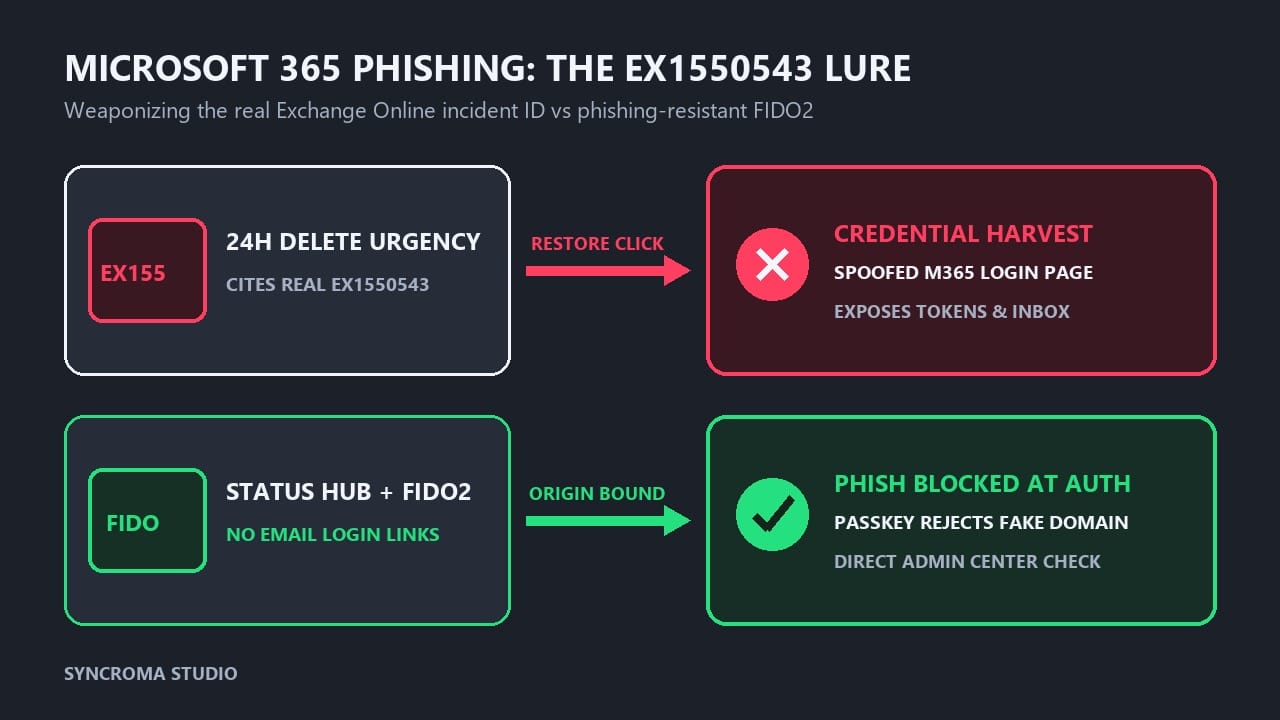
Why This Campaign Slips Past Trained Users and Legacy Filters
Unlike sloppy generic spam, samples captured as early as day one of the outage by Cofense Intelligence deploy sharp contextual engineering tailored to organizations hit by the Exchange Online blackout:
| Lure Component Observed | What Employees See in Outlook | What Happens Under the Hood |
|---|---|---|
| Authentic Incident Ticket | Quotes real Microsoft incident ID EX1550543 |
Exploits verified public outage headlines to disarm immediate suspicion |
| Personalized Sender & Subject | Subject starting with Outage + 6-char code; display names like "Outage Notification" or "Service Health" |
Sent from external attacker domains such as moments-notice.com, planetmaison.com, and newbooker.com |
| Artificial 24-Hour Destruction | Claims stuck messages "will be permanently deleted in 24 hours" unless you click Restore Messages | Manufactures panic right after users actually missed emails during the real outage |
| Spoofed M365 Login Page | Pixel-matched Microsoft 365 credential prompt | Captures corporate credentials and session flows off Microsoft’s origin |
Why Basic 6-Digit MFA Fails When Users Trust Urgent Outage Links
Too many IT teams still assume SMS or authenticator TOTP codes alone neutralize credential phishing. In real enterprise attacks, once an exhausted employee submits their email, password, and 6-digit code into a spoofed login page or reverse-proxy interceptor, attackers mint or replay live session tokens directly regardless of TOTP.
Just as critical: Exchange Online transport queues do not delete delayed emails after 24 hours unless a user manually clicks an external recovery button — queued mail drains automatically from transport servers once gateway capacity stabilizes.
Four Immediate Steps for SecOps and Employees Today
- Inspect any urgent "Restore" URL offline before clicking: Check destination hostnames,
user@hostauthority tricks, and hidden redirect query strings locally with zero DNS/HTTP leakage using our 100% Private URL Cleaner & Phishing Link Inspector. - Verify service health only via clean bookmarks: Never follow status links embedded inside inbound emails; navigate manually to the official Microsoft 365 Admin Center or public status page.
- Upgrade TOTP MFA to origin-bound FIDO2 / Passkeys: Cryptographic passkeys bind authentication challenges strictly to
login.microsoftonline.com— failing closed on lookalike domains likemoments-notice.comautomatically. - Tighten DMARC (
p=reject) & external display-name banners: Flag external emails impersonating internal "Service Health" labels, and scrub incident logs safely before triaging via our Offline PII & Secret Anonymizer.
Conceptual infographic designed by Syncroma Studio. Cover photograph: Alejandro Escamilla via Wikimedia Commons / Unsplash (CC0).

Sistemas reales, sin humo corporativo Real systems, zero corporate hype
Recibe los análisis a fondo sobre arquitectura, consumo de recursos y computación de bajo nivel directamente en tu bandeja de entrada. Get deep-dive software architecture, resource consumption metrics, and low-level computing essays delivered straight to your inbox.
Suscribirse a Syncroma Subscribe to Syncroma